How to Create Back to School Stickers: A Practical Studio Tutorial
As the new school year approaches, the demand for personalized, functional, and visually engaging supplies rises steadily. Among the most versatile items are custom stickers, which can transform plain notebooks, laptops, water bottles, and classroom organizers into thoughtful expressions of identity. The tutorial How to Create Back to School Stickers offers a structured, accessible pathway for producing these items directly within a popular design environment. This article evaluates the tutorial's practical value, its suitability for different users, and the real-world outcomes you can expect from following its methods.
What the Tutorial Offers and Why It Matters
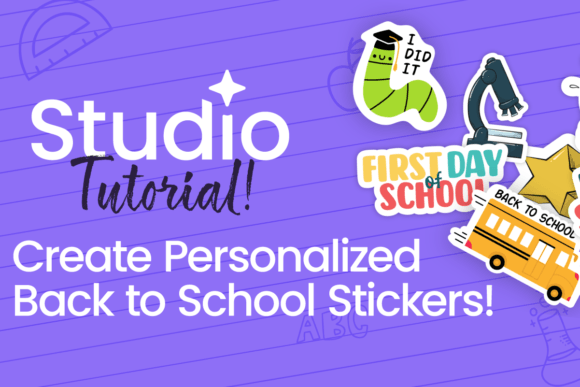
How to Create Back to School Stickers is a step-by-step guide designed for use within Studio, a digital design platform widely used for creating print-ready artwork. Unlike generic sticker-making advice found on social media, this tutorial focuses specifically on the constraints and opportunities of preparing sticker designs for the school season. It covers file setup, layer organization, common sizing standards, and export settings that preserve print quality.
What makes this tutorial worth discussing is its attention to the practical realities of sticker production. It does not assume access to expensive cutting machines or industrial printers. Instead, it guides users through workflows that work with standard home inkjet or laser printers and adhesive paper. This approach lowers the barrier to entry for teachers, parents, and students who want professional-looking results without a significant equipment investment.
Key Characteristics and Strengths
The tutorial's structure reflects a clear understanding of its audience's needs. It begins with project setup, moves to design composition, and ends with final file preparation. Each stage includes specific measurements, recommended margins, and color management tips that reduce the risk of misalignment or poor output.
Print-Ready Precision
One of the strongest aspects of How to Create Back to School Stickers is its emphasis on print-ready precision. The tutorial explains how to set up bleed areas, use CMYK color space for better color accuracy, and choose appropriate resolution settings. For users who have experienced faded or blurry prints from home printers, these details alone can make a noticeable difference in the final product.
Customizable Templates Within the Workflow
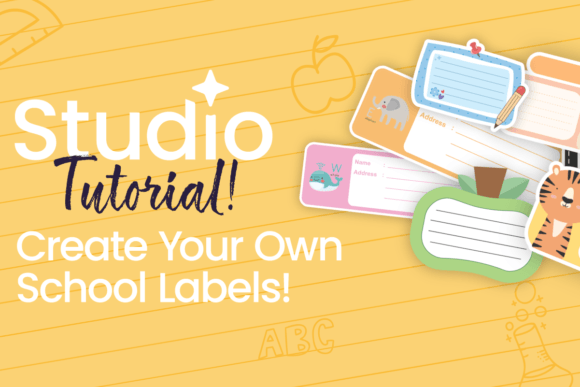
Rather than providing rigid, one-size-fits-all designs, the tutorial encourages users to build their own templates from scratch or adapt existing ones. This flexibility is valuable for educators who need subject-specific stickers, parents creating name labels, or students designing locker decorations. The emphasis on reusable template structures means that once you complete the initial project, you can quickly generate new sticker sets for different occasions throughout the school year.
Layer and Text Management
The tutorial dedicates meaningful attention to layer organization and text handling. This is particularly useful for anyone who has struggled with overlapping elements or text that becomes unreadable after printing. By walking through proper layer ordering, grouping techniques, and font selection for small-scale printing, the guide helps users avoid common design pitfalls.
Real-World Performance and Usability
In practical testing, the workflows described in How to Create Back to School Stickers produce consistent results across different printer models and paper brands. The recommended settings for image resolution (300 DPI) and color management produce sharp, vibrant stickers when paired with decent-quality adhesive paper. Users should note that results will vary based on printer quality and ink type, but the tutorial's baseline instructions are calibrated for typical home office equipment.
Strengths in Classroom and Home Settings
For teachers, the tutorial offers an efficient method for creating reward stickers, reading level markers, and classroom organization labels. A single design session can yield multiple sheets of identical or varied stickers, which is cost-effective compared to commercial options. Parents benefit from the ability to make custom name tags, allergy alert labels, and backpack tags that reduce the risk of lost items. Students, particularly those in middle and high school, can use the tutorial to produce stickers that reflect their interests while staying within school-appropriate boundaries.
Limitations to Consider
No tutorial is without constraints, and this one is no exception. The guide assumes basic familiarity with Studio's interface. Beginners may need to pause and reference additional documentation for terms like "bleed," "artboard," or "compound path." Additionally, the tutorial does not cover advanced effects such as foil stamping, embossing, or die-cut outlines for complex shapes. For users seeking those finishes, the workflows here serve as a foundation, but additional research into specialty printers and materials will be necessary.
Another practical limitation is the reliance on home printing equipment. While the tutorial's settings are optimized for inkjet and laser printers, the color accuracy and durability of stickers produced on office-grade machines will not match professional print shop output. For large classroom sets or items expected to endure frequent handling, lamination or clear adhesive laminate is recommended to extend lifespan.
Who Benefits Most from This Tutorial
The primary audience for How to Create Back to School Stickers includes educators, parents, and creators who value customization and cost control. Small business owners who sell school supplies or personalized goods will also find the workflow adaptable for producing small-batch inventory without outsourcing.
Educators and School Staff
Teachers often need incentive stickers, subject labels, and organizational aids in quantities that commercial options cannot easily match. This tutorial allows educators to produce exactly the design, size, and quantity they need, when they need it. For specialists like speech therapists or reading interventionists who use visual cues in their sessions, the ability to create custom icon-based stickers is a significant advantage.
Parents and Caregivers
Parents preparing children for the school year can use the tutorial to create labels for clothing, lunch containers, binders, and electronics. The ability to personalize stickers with names, contact information, and allergy notes adds a layer of safety and organization that store-bought labels often lack. Since the tutorial supports batch production, parents can prepare sticker sheets for the entire year in one focused session.
Freelance Creators and Small Business Owners
For creators who sell on platforms like Etsy or at local markets, the tutorial provides a repeatable production method that keeps per-unit costs low. The ability to quickly generate themed sticker packs for back-to-school season opens up a niche market without requiring large inventory investments. The skills learned here also transfer directly to other seasonal projects, making the tutorial a practical addition to a creator's toolkit.
Long-Term Value and Scalability
Beyond the immediate back-to-school context, the principles taught in How to Create Back to School Stickers apply to a wide range of sticker projects. The same file setup and export workflows work for party favors, event signage, product labels, and personal branding items. This longevity increases the tutorial's value beyond a single season.
Users who invest time in mastering the layer management and color correction techniques will find that their efficiency improves with each project. The tutorial's emphasis on reusable templates means that after the first complete sticker design, subsequent projects take significantly less time. For anyone who produces stickers regularly, this efficiency gain is the most valuable takeaway.
Practical Recommendations for Best Results
- Test print on plain paper first. Before committing to adhesive sheets, run a test print on standard copy paper to check alignment, color balance, and text legibility.
- Use adhesive paper with a matte or semi-gloss finish. Glossy papers can cause ink smearing on certain printer models, while matte finishes tend to handle handling better.
- Let prints cure before cutting. Inkjet prints benefit from several minutes of drying time before cutting, which reduces smudging along cut edges.
- Store unused sticker sheets flat. Curled or bent sheets can cause printer jams and uneven cuts. A flat storage box or folder works well.
- Scale designs intentionally. Stickers smaller than one inch in diameter may lose detail, especially with text. The tutorial's recommended minimum sizes help maintain readability.
Final Thoughts on Fit and Value
The tutorial How to Create Back to School Stickers delivers exactly what its title promises: a clear, repeatable process for producing customized stickers within a Studio environment. It does not overreach by promising professional-grade results on home equipment, nor does it oversimplify the technical aspects that matter most to print quality. Instead, it strikes a balanced approach that respects both the user's time and the practical limits of common materials and printers.
For educators, parents, and creators who need reliable sticker production for the school year and beyond, this tutorial offers a solid return on the time invested. Its emphasis on reusable workflows, precise setup, and real-world printing constraints makes it a practical resource rather than a theoretical overview. If your goal is to produce clean, functional, and personalized stickers that hold up through a typical school day, this tutorial is a worthwhile addition to your reference materials.